

I spent 30 years running live sound, which means I spent 30 years watching people buy gear for the gig they wished they had instead of the gig they actually had. So when I picked up the Akai Professional MPK Mini IV for my own carry-on, I tried to be honest with myself about what I needed it for: hotel room songwriting, beach campsite sketches, and the occasional flight delay where I wanted to do something better than scroll. This is the review I would give a friend, which means it includes the parts the marketing photos leave out.
The short version: the Akai Professional MPK Mini IV is a genuinely useful 25-key MIDI controller that fits in a backpack, runs on USB-C power, and sounds like whatever software you pair it with. It is also smaller than people expect, the keys are not piano keys, and the bundled software setup will test your patience. None of that makes it a bad buy. But you should know what you are getting before you order.
The Quick Verdict
The best carry-on MIDI controller I have used, as long as you accept that it is a controller, not a keyboard, and that the first hour of setup is the worst hour.
Amazon Check Today's Price →Want the honest version? This is the one I pack.
After a year of testing in airports, hotel rooms, and a 2016 Toyota 4Runner, the Akai Professional MPK Mini IV is the controller that actually makes the trip with me. Check today's price on Amazon and see if it fits your bag the way it fits mine.
Amazon Check Today's Price on Amazon →How I've Used It
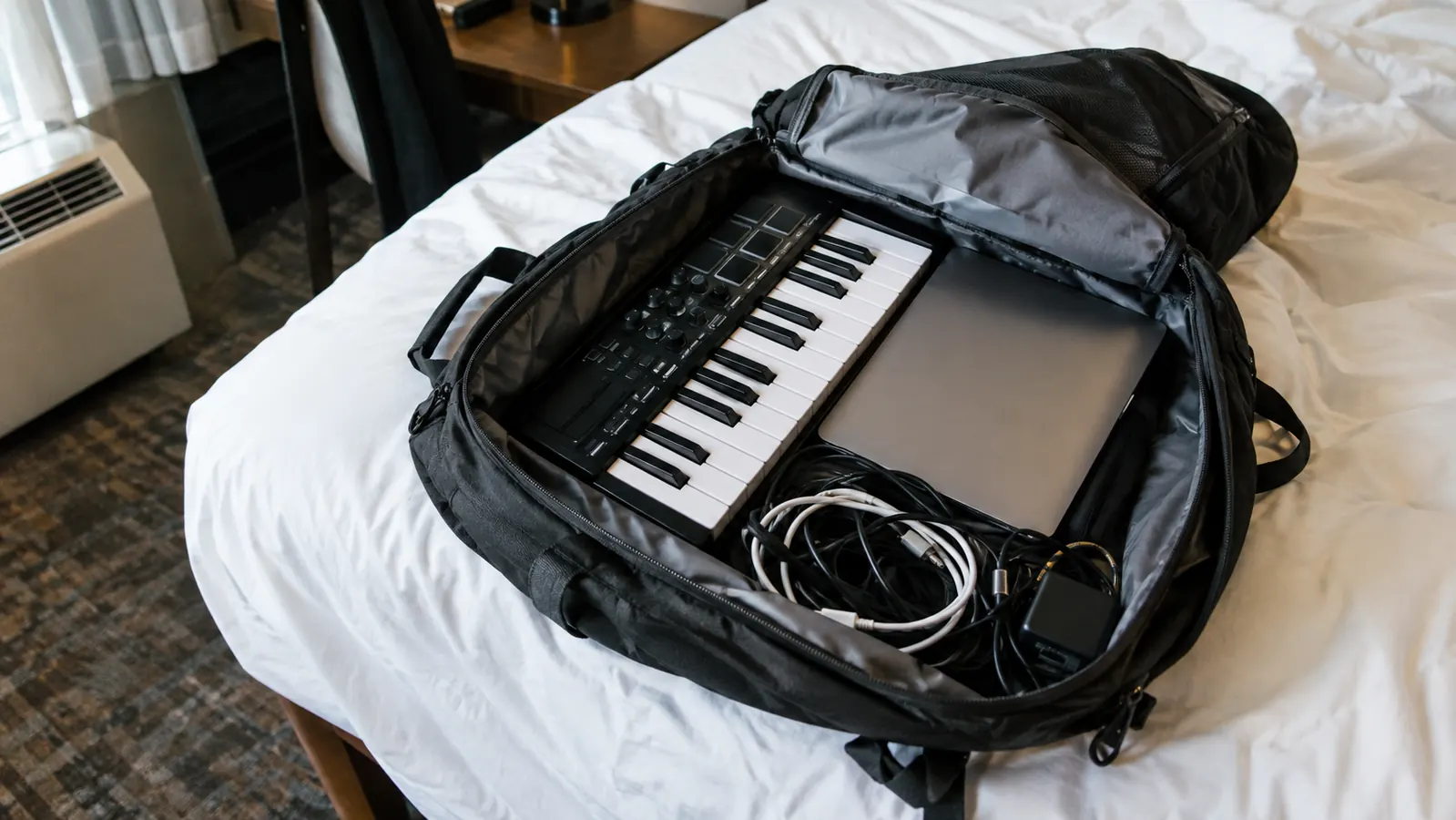
I am 52, I live in San Luis Obispo, and I fly to Oahu a few times a year to see family. My wife Lani and I each travel with one carry-on backpack, so anything I bring has to earn its space. The Akai Professional MPK Mini IV is 12.5 inches wide and weighs about a pound and a half. It slides into the laptop compartment of my backpack with room to spare, and it has survived being shoved under airplane seats, bounced around in rental cars, and dropped once on a hotel room floor. It still works.
I have used it three ways. First, plugged into a laptop in hotel rooms, usually with the bundled MPC Beats software or a free DAW. Second, connected to my phone with a USB-C adapter when I wanted to sketch an idea without opening the laptop. Third, on the kitchen table at home when I did not feel like walking to the studio. In all three cases it did the job. The pads are the part I use most, and they are better than anything I expected at this size.
The thing nobody tells you is that the MPK Mini IV is not a keyboard in the piano sense. The 25 keys are mini keys, about the width of a thumb, and they feel like a toy for the first ten minutes. Then you adapt. I play acoustic guitar and ukulele, so I am not a piano player, and I found the keys perfectly fine for bass lines, chord stabs, and melodies. A friend who trained on a full-size piano tried it and called the keys 'cute.' That is the honest range of opinion.
Most of my time with the Akai MPK Mini IV has been in places that were never meant for making music. A motel desk in Paso Robles with a lamp bolted to it. A fold-down tray table on a five hour flight to Honolulu, with the keyboard angled so my elbow did not land in the neighbor's space. The kitchen counter of a rental condo in Kailua at six in the morning, headphones on so I would not wake Lani. In every one of those spots the board fit, and it worked the moment the cable went in.
I also learned what it is not good at. It is not a piano, and if you try to play a two handed piece with a left hand bass line, twenty five keys run out fast. I use the octave buttons constantly, and after a while my thumb finds them without looking. It is a sketchpad, and once I treated it that way I stopped wishing it were bigger.
What Nobody Tells You About the Pads
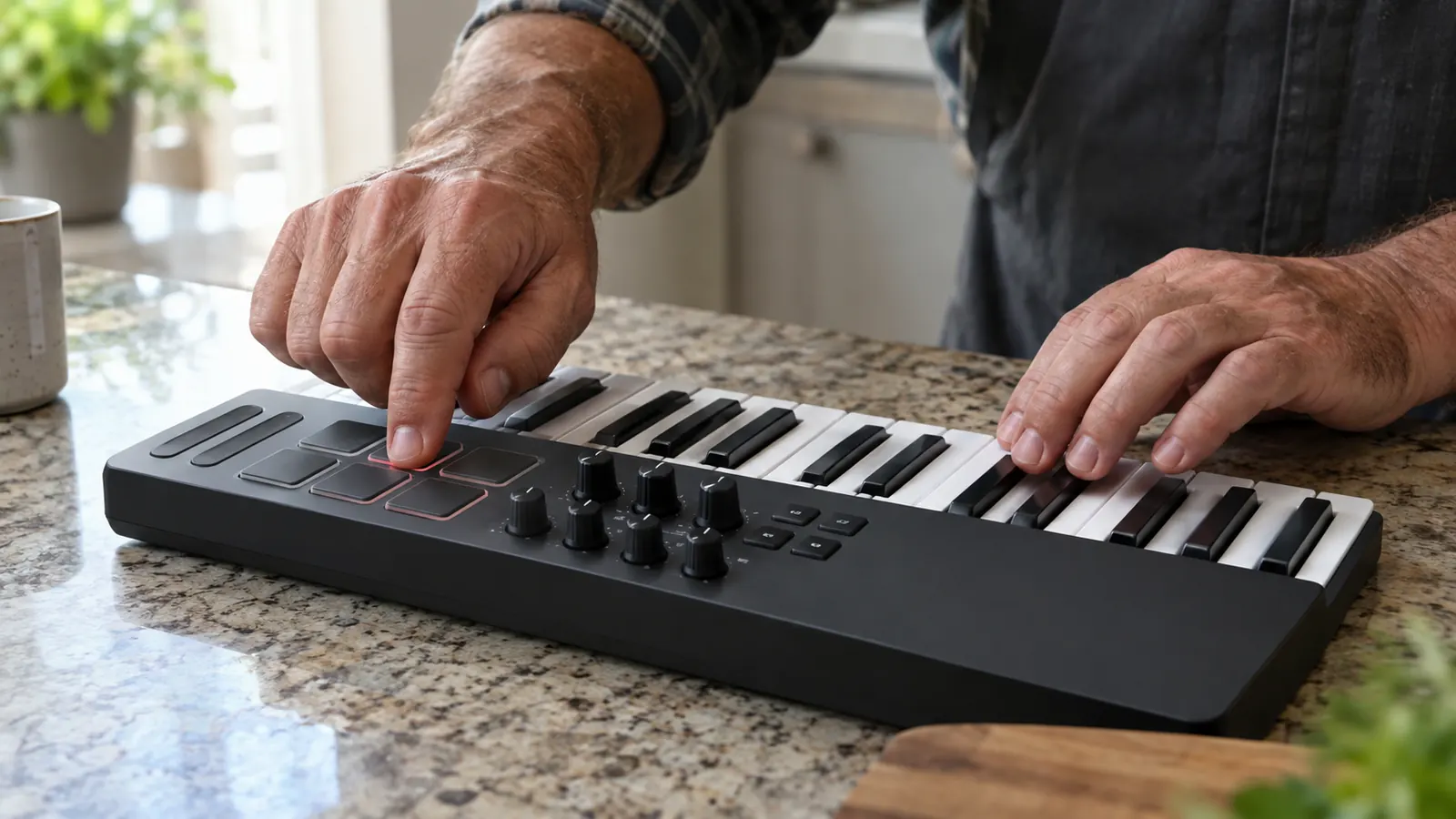
The eight backlit drum pads are the best reason to buy the Akai Professional MPK Mini IV. They are velocity sensitive, they respond to finger drumming far better than a keyboard does, and they light up in a way that makes you want to keep playing. I have used them to build beats, trigger samples, and even play chord stabs. The pads are the part of this controller that feels like a real instrument.
What nobody tells you: the pads are small and close together. If you have large hands, you will hit the wrong pad sometimes. I have average hands and I still hit two pads at once when I get excited. You can adjust the sensitivity in the software, and you should, because the default setting is hotter than I liked. Once I turned it down, my fat-finger rate dropped a lot.
The pads are the part of this controller that feels like a real instrument. The keys are the part that reminds you it is a travel tool.
Before I bought it, I worried a small keyboard would feel like a toy. It does not. The keys are short, but they are full width at the front and have a real springy action, so chords land where your fingers expect them. On my first night with it in a Morro Bay motel I played for two hours without once feeling cramped, which told me more than any spec sheet had.
The Joystick, the Knobs, and the Things That Surprised Me
The MPK Mini IV has a four-way joystick for pitch bend and modulation instead of the traditional wheels. I was skeptical. On paper it sounds like a compromise. In practice it is fine, and for travel it is actually better, because there is nothing sticking out to snap off in a bag. The joystick is sturdy, it centers itself, and it does what it is supposed to do. I would not call it better than a good set of wheels, but I would call it better than a broken set of wheels.
The eight knobs are endless encoders, which means they do not have a starting position and a stopping position. That is a good thing for software control, because the knob never gets out of sync with the value on screen. The knobs are small and a little stiff, but they work. The built-in arpeggiator is a pleasant surprise. I am not an arpeggiator person, but my wife Lani, who does not play any instrument, spent an evening turning the knobs and making the arpeggiator do things I did not know it could do. That is the kind of accidental creativity this controller encourages.
The other thing nobody mentions is noise. The keys are quiet, but the pads make a soft thump, and in a thin walled hotel at night that thump carries more than you would expect. I put a folded hand towel under the Akai MPK Mini IV and it dropped to almost nothing. Small trick, but it is the kind of thing you only learn after a neighbor knocks on the wall.
The joystick took me a few weeks to like. It does pitch bend and modulation in one control, which saves space, but it springs back to center quickly, so slow, expressive bends take practice. Once I got the feel for it I used it on almost every take. A beginner might find it twitchy at first, so give it a little time before you decide.
The Setup Process Is the Worst Part
Here is the honest part. The Akai Professional MPK Mini IV is a class-compliant USB device, which means it works with any computer without installing drivers. Plug it in, open a DAW, and it shows up. That part is easy. The hard part is the bundled software. The box points you to a download page, the download page wants you to create an account, and the account wants you to verify your email. By the time I had MPC Beats installed, I had spent 45 minutes on something that should have taken five.
My advice: skip the bundled software if you already have a DAW. The Akai Professional MPK Mini IV works with GarageBand, Logic, Ableton, FL Studio, and just about anything else. If you do not have a DAW, the free MPC Beats software is fine once it is installed, but do not let the installation process convince you the hardware is complicated. The hardware is simple. The download page is the complicated part.
Setup on a new laptop is the part that tested my patience. The keyboard itself is plug and play, but getting the bundled software installed, authorized and talking to the right sounds took me most of an evening the first time, with several account logins along the way. My advice is simple: do all of that at home on good internet, before the trip. Downloading sound libraries on hotel Wi-Fi is a miserable way to spend a vacation night, and some of those downloads are large.
The included sound library is better than I expected for a travel rig. There are pianos, electric pianos, pads and drum kits that sound good enough to write with, and I rarely felt the need to load anything else on the road. For a weekend player like me that saves both money and laptop storage, and it keeps the whole setup simple enough to pack in a few minutes.
How It Holds Up Over Time
I have had my Akai Professional MPK Mini IV for about a year. It has been in a carry-on backpack for at least a dozen flights, including the overhead bin on a crowded flight to Honolulu. It has been on the passenger seat of my 2016 Toyota 4Runner for road trips up and down the California coast. It has been in a beach campsite, which means it has been in sand-adjacent conditions, and it has been dropped once on a hotel room floor. The only visible wear is a small scuff on one corner. Everything still works, including the joystick, the pads, and the USB-C port.
The USB-C port is worth calling out specifically. A lot of budget gear uses micro-USB, which is fragile and annoying. The Akai Professional MPK Mini IV uses USB-C, which means I carry one cable for the controller, my phone, and my laptop. That is a bigger deal than it sounds when you are trying to pack light.
After many months of travel, the Akai MPK Mini IV still looks almost new. The keys have no wobble, the pads still trigger evenly, and the USB-C port is snug. I keep it in a padded sleeve inside my carry-on backpack, which has protected it from the usual bumps of overhead bins and rental car trunks. The only wear is a little shine on the most used knob. For a small board that has been in and out of a bag dozens of times, that is about as good a report as I can give.
One last practical note: the Akai MPK Mini IV draws its power from the USB-C cable, so there are no batteries to pack and no separate charger. On a long flight that means it runs off the laptop, and the laptop drains a little faster. I bring a small battery pack for the computer when I plan to play on the plane, and that has covered every flight to Honolulu.
What I Liked
- Small enough for a carry-on backpack and a tray table
- Velocity sensitive pads that make beats feel like playing, not typing
- Knobs and joystick that cut down on trackpad fiddling
- Powered by one USB-C cable, no batteries or charger
- Has held up to months of travel with almost no wear
Where It Falls Short
- Twenty five keys run out fast for two handed playing
- Software setup and downloads take an evening, best done at home
- Pads thump loudly enough to carry through a thin hotel wall
- Joystick springs back quickly and takes practice for slow bends
Who This Is For
This is for the person who wants to make music on the road without bringing a studio. It is for the songwriter who wants to capture an idea in a hotel room. It is for the producer who wants to sketch a beat on a flight. It is for the guitar player who wants to add keys to a demo without learning to play piano. It is for anyone who has ever wished they had a keyboard when inspiration hit and they were nowhere near one.
It also earned its place by getting me to play more. Because it lives in my carry-on backpack, I play on trips where I never would have bothered before, ten minutes before breakfast or half an hour in an airport lounge during a delay. Those short sessions add up, and I came home from our last trip to Oahu with four song ideas recorded instead of none.
Who Should Skip It
Skip it if you need a real piano feel. The mini keys are not going to satisfy someone who practices Chopin. Skip it if you want a standalone instrument, because the Akai Professional MPK Mini IV makes no sound on its own. It is a controller. It needs a computer, a phone, or a tablet. Skip it if you hate software setup, because the first hour is rough. And skip it if you want something you can play with two hands in a traditional piano position, because 25 keys is two octaves and that is the whole point.
The bottom line: it earns its space in my bag.
The Akai Professional MPK Mini IV is not perfect, but it is the most useful music tool I have found that fits in a carry-on. If you want the same setup I travel with, check today's price on Amazon.
Amazon Check Today's Price on Amazon →