

I spent thirty years behind mixing consoles, and the one thing I learned is that the music you actually finish is the music you can start. On the road, that used to mean a spiral notebook and a lot of humming into my phone. Then I started carrying a compact 25-key MIDI keyboard, and the whole game changed. This is how I write music on the road with a portable MIDI keyboard, using the Akai Professional MPK Mini IV as the centerpiece of a setup that fits in one carry-on backpack.
I am Wes Kaneshiro, 52, a retired live-sound tech from San Luis Obispo. I fly to Oahu a few times a year to see family, and I road trip up and down the California coast in my 2016 Toyota 4Runner. My wife Lani travels with me, and we both pack light. Everything I carry has to earn its space. The Akai Professional MPK Mini IV earns it.
The 25-key keyboard that fits in the front pocket of my backpack
The Akai Professional MPK Mini IV is the keyboard I reach for before every trip. It is small enough to forget it is in the bag, and it connects to a phone, tablet, or laptop with a single USB-C cable.
Amazon Check Today's Price on Amazon →Step 1: Pick a keyboard that fits the way you actually travel
Before you can write music on the road, the keyboard has to survive the road. That means it needs to fit in the bag you already carry, not a second bag you have to remember. The Akai Professional MPK Mini IV is 25 keys, roughly the size of a thick paperback, and it weighs about a pound and a half. I slide it into the padded sleeve of my carry-on backpack and forget it is there.
The build matters more than the specs sheet. I have dropped this keyboard twice, once getting it out of the overhead bin on a United flight to Honolulu and once handing it to Lani in a rental car lot outside the San Jose airport. It still plays perfectly. The pads and keys are solid, the knobs turn without wobble, and the USB-C port has held up to hundreds of plug-unplug cycles. For a piece of gear that lives in a bag, that durability is the whole point.
A quick note on size: 25 keys is not a piano. It is a sketchpad. If you need to play two-handed chord voicings with a full left-hand range, you will want a 49-key board. But for capturing a melody, a bass line, and a chord idea, 25 keys is enough, and it is the difference between a keyboard that travels and a keyboard that stays home. I measured mine against the inside of my backpack before I bought it, and it clears the sleeve with room to spare. The whole unit is about 12.5 inches wide and 7 inches deep, which means it also fits flat in the seat-back pocket of most economy seats, so I can reach it without digging through the bag.
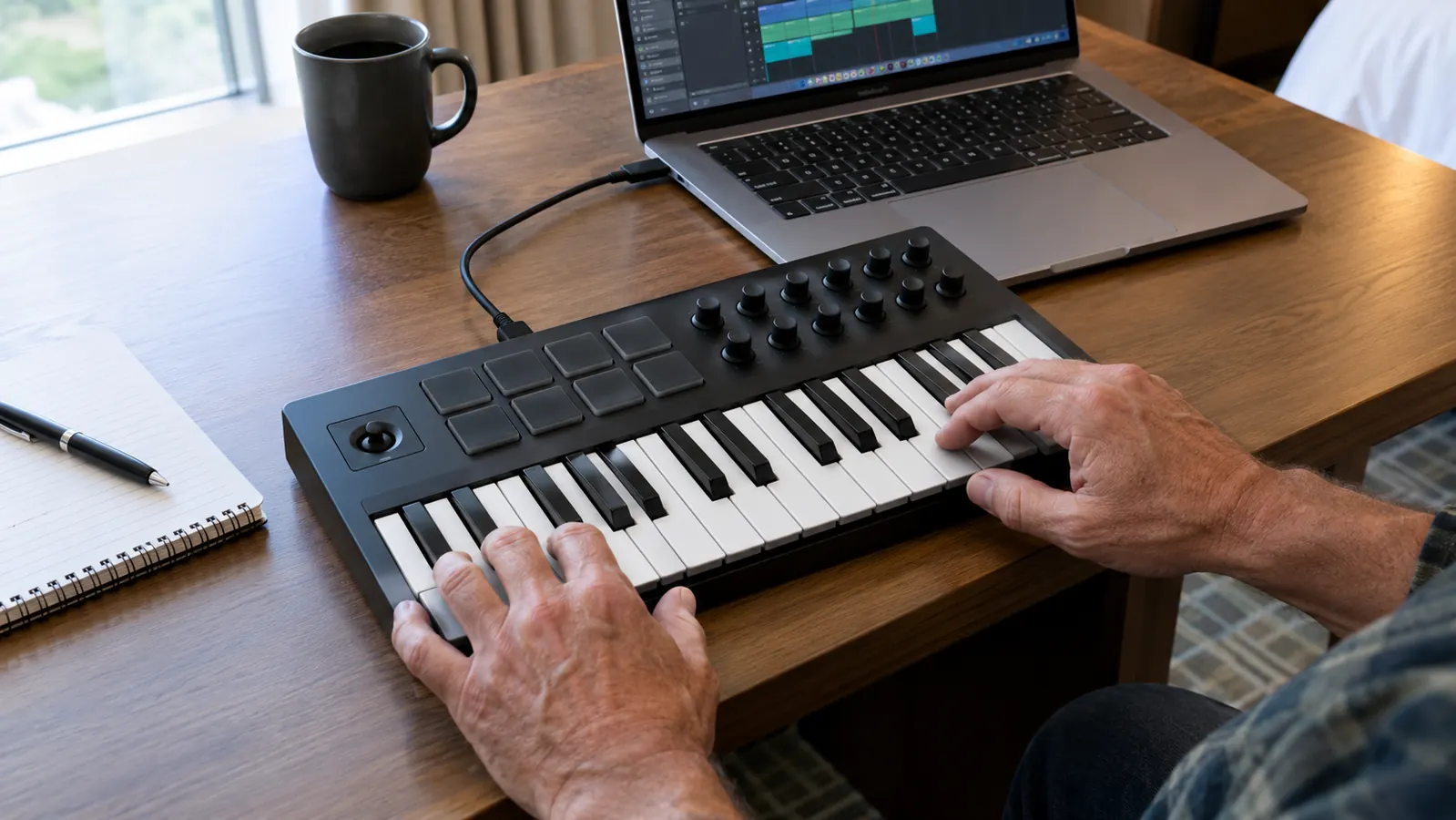
Step 2: Set up a rig that works with what you already own
You do not need a studio to write on the road. You need a keyboard, a device, and a way to hear what you are playing. The Akai Professional MPK Mini IV connects over USB-C to a laptop, tablet, or phone. I use an iPad with GarageBand when I fly, and a laptop with a free DAW when I am in a hotel room. Both work with the same cable, and I have never needed a driver or an adapter on any of them.
For sound, I carry a pair of wired earbuds. Bluetooth adds latency, and latency is the enemy of playing in time. A pair of wired earbuds with a 3.5mm jack has served me for years. If I am somewhere I can make noise, like a rental cabin near Big Sur or an empty beach campsite on the north shore of Oahu, I plug the iPad into a small Bluetooth speaker and let the song breathe.
The MPK Mini IV also has a built-in arpeggiator and an octave shift, which means I can play a two-octave melody on a 25-key board without running out of range. The eight pads are velocity-sensitive, so I can tap out a drum pattern or trigger a sample while I play keys. That one piece of gear covers melody, chords, drums, and bass. It is a full sketchpad in a backpack.
Step 3: Build a songwriting routine that survives airport delays
The hardest part of writing on the road is not the gear. It is the routine. At home, I have a corner of the living room with a guitar stand and a notebook. On the road, the corner changes every day. So I built a routine that is the same everywhere: when I sit down with the keyboard, I set a timer for twenty minutes and I do not let myself edit. I just play. The timer lives on my phone, and the rule is simple, no stopping to fix a wrong note, no second-guessing a chord.
The MPK Mini IV helps because it is always ready. There is no power switch to hunt for, no batteries to check. I plug in the USB-C cable, open GarageBand, and the keyboard is live. That sounds like a small thing, but it is the difference between writing during a two-hour layover at LAX and scrolling through my phone for two hours. On a recent trip to Oahu, I wrote the chorus of a song between the security checkpoint and the gate. The flight was delayed by forty minutes, and by the time we boarded I had the verse, the chorus, and a rough drum pattern saved to the cloud.
I also keep a simple rule: capture everything. If I play a chord progression I like, I record it immediately, even if it is rough. The MPK Mini IV has a sustain button and a hold function that let me play a pad sound and let it ring while I move my hands to the drum pads. That is how a lot of my road songs start, a pad chord, a drum pattern, and a melody I hum into the phone.
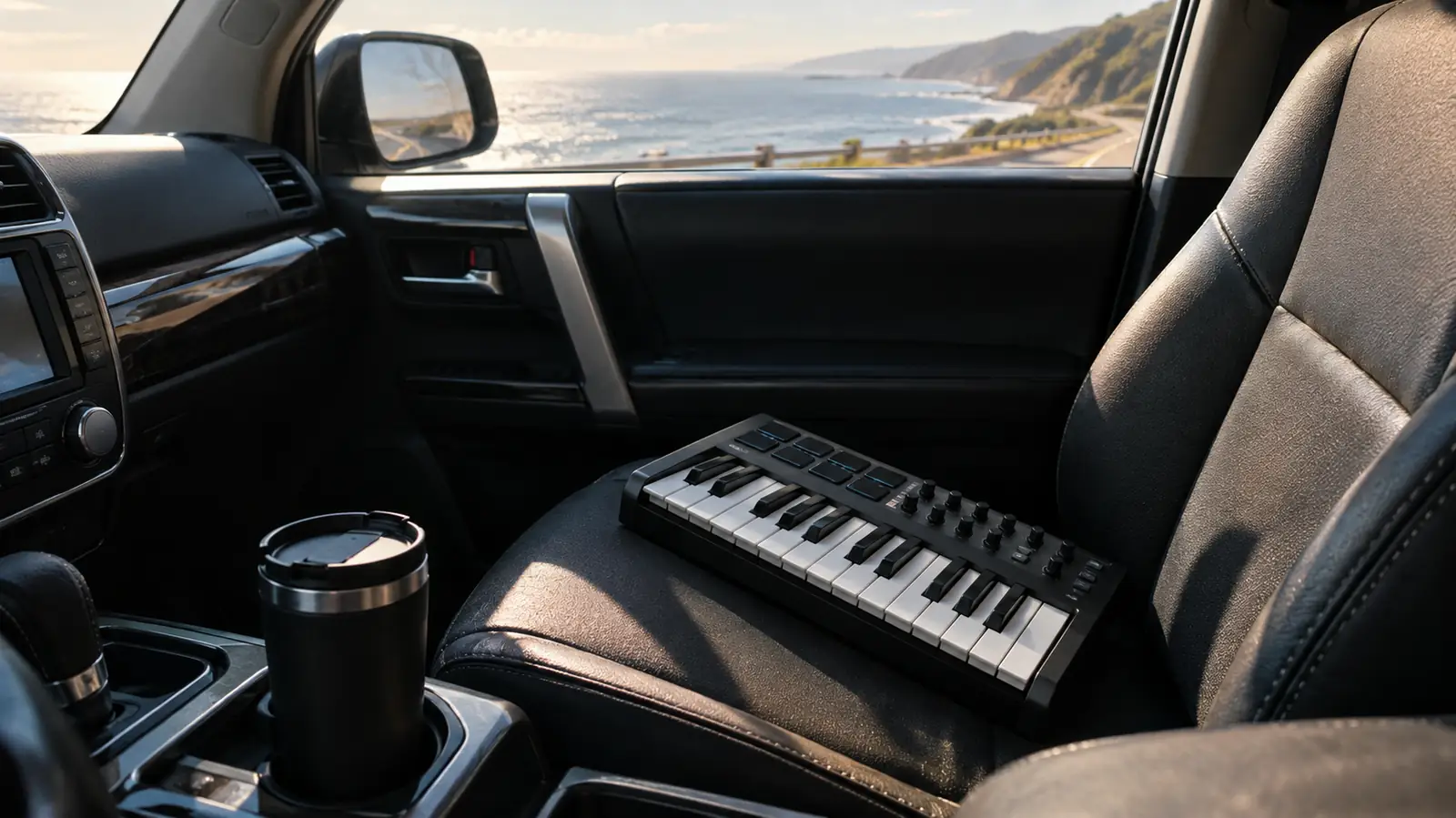
Step 4: Use the pads and knobs to sketch full arrangements
A 25-key keyboard can feel limiting until you realize the pads and knobs are part of the instrument. The eight MPC-style pads on the Akai Professional MPK Mini IV are velocity-sensitive, which means a soft tap gives a soft hit and a hard tap gives a loud one. I use them for drums, for triggering one-shot samples, and for playing bass notes while my right hand plays melody. On the flight home from Oahu last spring, I built an entire demo using nothing but the pads and two fingers.
The four knobs are assignable, and I map them to the same things every time: filter cutoff, resonance, reverb, and tempo. That way, when I am in a hotel room at midnight, I can reach over and sweep the filter without looking at the screen. The knobs feel solid, with a little resistance, so they do not jump when I bump them in a bag. I set the mapping once in the editor software, and it has stayed with the keyboard through every device I have plugged it into. On a three-day drive up Highway 1, I kept the laptop on the passenger seat and used the knobs to shape a pad sound while Lani drove, and the whole arrangement came together between Morro Bay and Monterey.
The joystick on the left is the part I did not expect to love. It bends pitch when I push it left and right, and it modulates when I push it up and down. For a guitar player, that is the difference between a keyboard that sounds like a keyboard and a keyboard that sounds like a performance. I use it constantly on lead lines, and it is the reason a simple melody can sound like it was played by someone who actually meant it.
Step 5: Finish the song somewhere other than the airport
Writing the idea is step one. Finishing it is the real work. When I get home to San Luis Obispo, I open the project on my laptop, and the same Akai Professional MPK Mini IV that worked in the airport works on my desk. The files transfer over the cloud, so I never have to think about which device has the latest version. I have finished more songs in the last year than in the five years before, and most of them started in a seat with a tray table.
I have a friend who writes on a full 88-key weighted keyboard at home, and he always assumed he could not write on the road because he could not bring the piano. The truth is, the road is where the ideas are. The constraint of 25 keys forces me to make choices, and making choices is what songwriting is. I have written more complete songs in the last year, between flights and in rental cars, than in the five years before.
When I finish a song, I export a rough mix, put it in a folder called Road Songs, and play it for Lani in the car. If it survives the 4Runner speakers, it is a keeper. That is the whole workflow: capture the idea, sketch the arrangement, finish it at home, and let the song live somewhere other than a voice memo.
What Else Helps
A few small things make the road rig better. A short USB-C cable, about a foot long, keeps the connection tidy on a tray table. A tablet stand that folds flat gives the screen a good angle in a hotel room. And a small power bank with a USB-C port means I can run the keyboard and the tablet for a full day without hunting for an outlet. None of these cost much, and all of them fit in the same backpack.
I also keep a paper notebook in the bag. The Akai Professional MPK Mini IV captures the music, but the notebook captures the words, the title ideas, and the production notes. Some of my best song ideas started as a scribbled phrase next to a chord chart. The keyboard and the notebook work as a pair.
The road is where the ideas are. The constraint of 25 keys forces me to make choices, and making choices is what songwriting is.
Pack the keyboard that makes the layover a writing session
The Akai Professional MPK Mini IV has been in my carry-on for about a year of trips. If you want to write music on the road, this is the keyboard I would pack.
Amazon Check Today's Price on Amazon →