

I spent thirty years behind mixing consoles, and I have owned more handheld recorders than I care to count. So when the Zoom H1essential showed up, I did what I do with every piece of gear: I packed it, flew with it, dropped it, and listened to the results with the same ears I used to tune a room. What nobody tells you about this recorder is that it is not the one you buy for the specs. It is the one you buy because it disappears into your routine and still sounds like a real microphone when you play it back.
I am Wes, a retired live-sound tech from San Luis Obispo, and I travel to see family on Oahu a few times a year. My wife Lani and I pack everything into one carry-on backpack each. The H1essential has now done two of those flights, a week of hotel rooms, a beach campsite, and a handful of road trips up the California coast in our 2016 Toyota 4Runner. This is the honest version of that test, including the parts that annoyed me.
The Quick Verdict
A genuinely good-sounding pocket recorder with a frustrating menu system and a battery door that needs care. Buy it for the audio, not the user experience.
Amazon Check Today's Price →The recorder I actually pack for every trip
After two flights, a campsite, and a year of regular use, the Zoom H1essential is the recorder that stays in my carry-on. Check today's price on Amazon and see if it fits your bag as well as it fits mine.
Amazon Check Today's Price on Amazon →How I've Used It
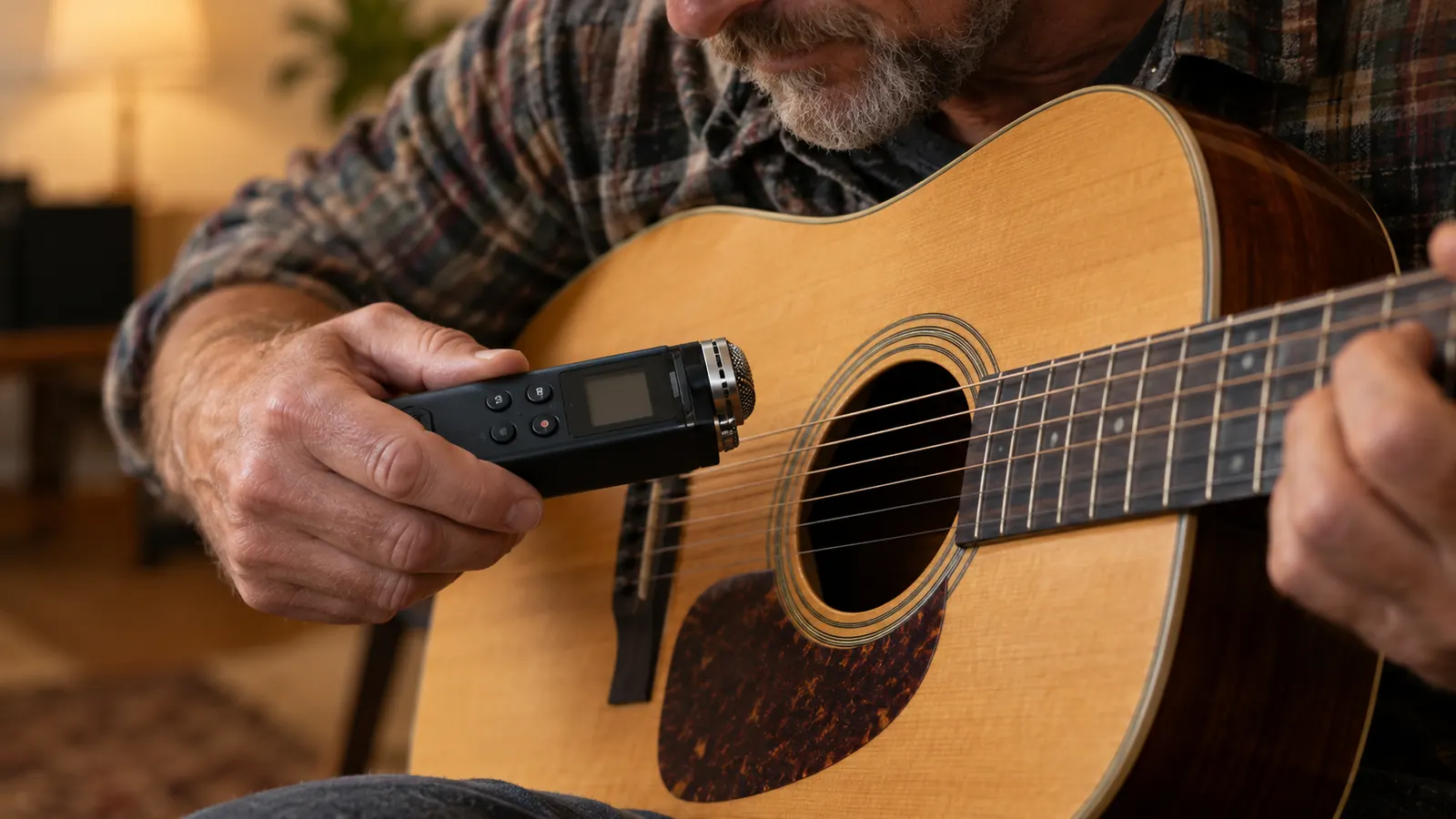
I did not test this in a studio. I tested it in the places the product page assumes you will use it. I recorded my acoustic guitar in a hotel room with the air conditioner running. I recorded conversation around a picnic table at a beach campsite on Oahu. I recorded the sound of waves at sunset, which is a terrible test for any recorder because the wind hits the microphones directly. I also recorded a ukulele session with Lani on the lanai of Lani's family's house, which is the kind of casual capture this thing is actually for.
The H1essential is the 32-bit float version of Zoom's classic H1. That means you do not have to set recording levels before you hit record. You just press the button and fix the level later in editing. For a retired sound tech who has spent decades babysitting gain staging, that is a genuinely liberating change. It is also the feature that makes this recorder a reasonable choice for someone who does not want to think about microphones at all.
Battery life is the other headline. It runs on two AAA batteries, and Zoom claims up to ten hours. In my testing, I got close to that with the backlight off and the limiter on. With the backlight on and the screen doing its thing, it dropped to around seven hours. That is still a full day of casual recording, and it means you can carry spare batteries instead of a charger and a cable. On a trip where every ounce matters, that matters.
I have used the Zoom H1essential for most of a year, mostly to capture music and sound on the road. I record myself playing ukulele on the lanai in Oahu, I record jam sessions with friends in San Luis Obispo, and I record the sound of places: waves, rain on a tin roof, a busy market. It rides in a small pouch inside my carry-on backpack and goes on nearly every trip.
That steady use showed me the strengths and the annoyances in a way a weekend test never would, and both show up in the sections below.
What Nobody Tells You About the Menus
Here is the honest part. The Zoom H1essential sounds better than it has any right to at this size, but the menu system is a relic. You navigate with a tiny joystick and a small monochrome screen, and the settings are buried in a way that assumes you have read the manual. I have read the manual. I still had to look things up. The first time I tried to change the recording format, I spent five minutes pressing the wrong buttons and accidentally deleted a take I wanted to keep.
The good news is that you do not need to touch the menus for most real-world use. The default settings are sensible. You press the record button, it records, you press it again, it stops. The 32-bit float format means you do not need to set levels, which removes the most common reason anyone digs into a menu in the field. If you can resist the urge to tweak, the H1essential is almost as simple as a point-and-shoot camera.
The menu system is a relic, but the audio is so good that I stopped caring by the second day.
The menus are where I lost the most patience. The screen is small and the buttons are tiny, so changing a setting like the file format or the low cut filter means scrolling through short lists one press at a time. Once it is set up, you rarely need to go back in, but the first evening with it felt slow.
The good news is the 32-bit float recording, which means you do not have to set the input level at all. I came from years of riding faders as a sound tech, and not having to worry about clipping on a loud strum or a sudden laugh is a relief. You can fix the volume later on the computer without losing quality. That feature alone makes the menus easier to forgive.
The Battery Door Problem
I need to talk about the battery door because nobody does. It is a small plastic latch that does not feel as solid as the rest of the recorder. On my unit, it takes a deliberate push to close properly, and if you do not push it all the way, the recorder will not power on. I have missed the start of a recording because I thought the door was closed and it was not. It is not a dealbreaker, but it is the kind of thing that makes you wonder if the designers tested it with the same hands that use it daily.
The fix is simple: always check the door before you hit record. I now do this out of habit, the same way I used to check that a cable was plugged in before a show. It is a two-second motion that saves you from a dead unit at the worst possible moment. I would still buy the recorder again, but I would buy it knowing this quirk exists.
The battery door is the part I would change first. The Zoom H1essential runs on two AAA batteries, and the door that covers them is thin plastic that pops open more easily than I would like. Once it opened in my bag and the batteries rolled loose. Now I keep the recorder in a snug pouch and check the door before I pack it. On the plus side, AAA batteries are sold everywhere, so I never worry about finding a charger, and a set lasts many hours of recording.
How It Sounds in Real Places
The sound quality is where the Zoom H1essential earns its keep. The built-in microphones are in a 90-degree X/Y pattern, which means they capture a natural stereo image without the recorder being too directional. When I recorded my acoustic guitar in a hotel room, the playback sounded like the room, not like a microphone shoved in a box. There was a warmth to the midrange that I did not expect from a recorder this small.
The wind noise is the tradeoff. The foam windscreen that comes in the box helps, but it does not eliminate the problem. At the beach campsite, I had to position the recorder with my body between it and the wind, which is exactly what I would have done with a much more expensive setup. If you plan to record outdoors regularly, budget for a better windscreen. The one in the box is adequate, not great.
The other surprise is how good it is for voice. I recorded a conversation with Lani and her family on the lanai, and the playback was clear enough that you could hear the difference between the two of them without any processing. That is the thing nobody tells you: this recorder is not just for musicians. It is a better voice memo device than your phone, and it does not eat your phone battery while it works.
In real places the sound has impressed me. The two built-in microphones are set in an X/Y pattern, which gives a natural stereo picture, so a recording of waves feels wide without sounding fake. My ukulele sounds like a ukulele, warm and clear, not thin. On a windy beach the wind noise is a real problem without the foam windscreen, and I recommend buying a furry windscreen if you record outside often.
Indoors it picks up the room, so a bathroom with tile sounds echoey and a carpeted hotel room sounds dry. I learned to choose my spot before pressing record.
What Fits in a Carry-On
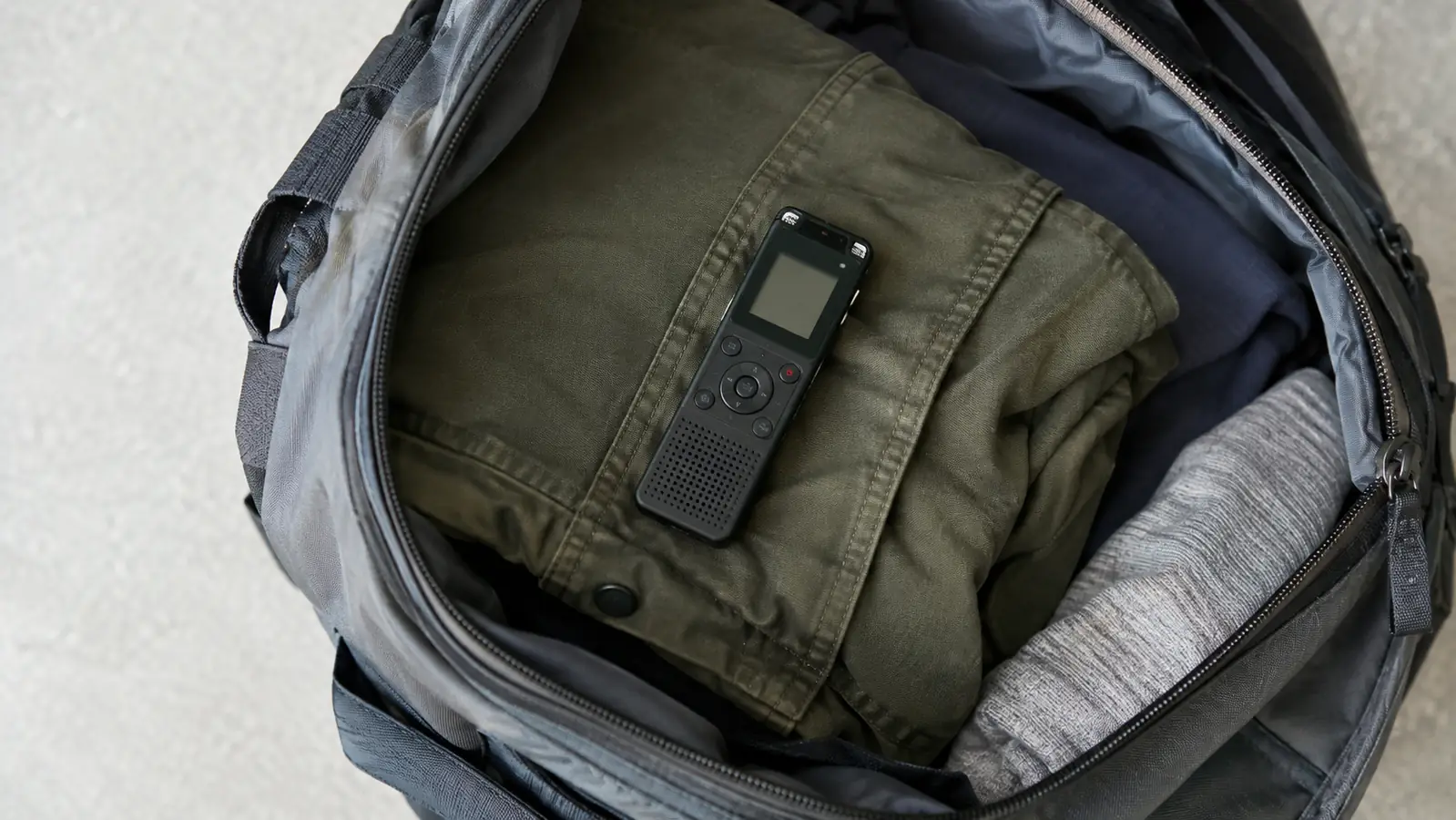
The H1essential is small. It is about the size of a thick smartphone, and it weighs almost nothing. I keep it in the front pocket of my carry-on backpack, wrapped in a folded jacket, and I have never once had to think about whether it would fit. That is the highest compliment I can give travel gear: it is invisible until you need it.
The build quality is good but not indestructible. I dropped it once on a hotel room floor, from about waist height onto carpet, and it survived without a scratch. I would not want to drop it on concrete. The body is plastic, and the screen is exposed. If you are the kind of person who throws gear into a bag without a case, buy a small padded pouch. I use the one that came with a pair of earbuds I no longer own.
For a carry-on, the Zoom H1essential is about as easy as it gets. It is small enough to fit in a jacket pocket and light enough that I never feel it in the bag. Along with it I pack a microSD card, spare AAA batteries, a short USB-C cable and a small tripod. All of that fits in one zippered pouch, and the whole kit weighs less than my headphones.
Getting files off it is easy. I plug the recorder into my laptop with a USB-C cable and it shows up as a drive, so I can drag the recordings across without any special software. It can also work as a simple USB microphone for the computer, which I have used for a few video calls from hotel rooms.
One more tip from experience: label your recordings as soon as you can. The Zoom H1essential names files with numbers, and after a week in Oahu I had forty files and no memory of which was the sunset ukulele song. Now I say a few words at the start of each take, like the place and the date, so I can sort them later.
Who This Is For
This recorder is for the person who wants to capture an idea, a conversation, or a song without turning it into a project. It is for the weekend musician who records a riff in a hotel room and wants it to sound like a real recording. It is for the traveler who wants better audio than a phone without carrying a bag of gear. It is for the podcaster who records interviews in coffee shops and needs something that fits in a pocket. If that sounds like you, the Zoom H1essential is worth a serious look.
After all of this, the Zoom H1essential is still the first thing I pack after my headphones. It is small, it is simple once set up, and it has captured moments on the road that I would otherwise have lost. That is the honest measure of a travel recorder.
If you are new to recording, start with the default settings and just press record. You can learn the menus later. The most important thing is having it with you when the music happens.
Who Should Skip It
Skip it if you need to record more than two channels at once, because this is a stereo recorder and nothing more. Skip it if you want to plug in external microphones, because the H1essential does not have the inputs for that. Skip it if you hate menu systems, because even though you can ignore them, you will still have to navigate them to change the most basic settings. And skip it if you want a recorder that feels like a tank, because the plastic body and the battery door will not survive years of rough handling.
What I Liked
- Excellent audio quality for the size and price
- 32-bit float recording means no level setting in the field
- Runs on two AAA batteries, easy to carry spares
- Small enough to disappear into a carry-on
- Natural stereo image from the X/Y microphones
Where It Falls Short
- Menu system is dated and unintuitive
- Battery door feels fragile and needs a deliberate push
- Included windscreen is only adequate for outdoor use
- No external microphone inputs
- Plastic body will not survive serious drops
Still deciding?
The Zoom H1essential is the recorder I reach for when I want the take to sound right without fighting the gear. If that is the kind of tool you want in your bag, check today's price on Amazon.
Amazon Check Today's Price on Amazon →